


Most teams buy contractor invoice software, migrate a few vendors, and then wonder why the first three payment runs are a mess. Duplicate payments. A contractor flagged as an employee by accident. An invoice stuck in approval limbo for eleven days because nobody knew who owned the sign-off. The software wasn't the problem. The implementation was.
The buyer's guide side of this topic is already well covered — if you're still comparing vendors, the buyer's guide to contractor invoice software angle on architecture and integration patterns is a better starting point. This piece assumes you've already picked a tool. What follows is the actual rollout: the 10 steps, the field mapping, the automation rules, and the compliance landmines that quietly wreck the first quarter.
Why implementations fail before the first invoice is ever paid
The pattern is almost always the same. A business signs up, imports their contractor list, and treats onboarding as a data-entry task. Names, emails, maybe a bank account. Done.
Then reality hits. The first contractor submits an invoice with a different legal entity name than what's on file. The second one is missing a W-9. The third invoices in a format that doesn't map to any field in the system, so someone keys it in manually — and fat-fingers the amount by $400.
What shows up across a lot of these rollouts is that the failure isn't technical. It's that nobody defined what a valid invoice looks like before turning the system on. The software will happily accept garbage and route it into your approval queue. Your job during implementation is to make garbage impossible to submit in the first place.
That's the whole philosophy: push validation as far upstream as you can. Catch problems at onboarding and at invoice entry, not at payment.
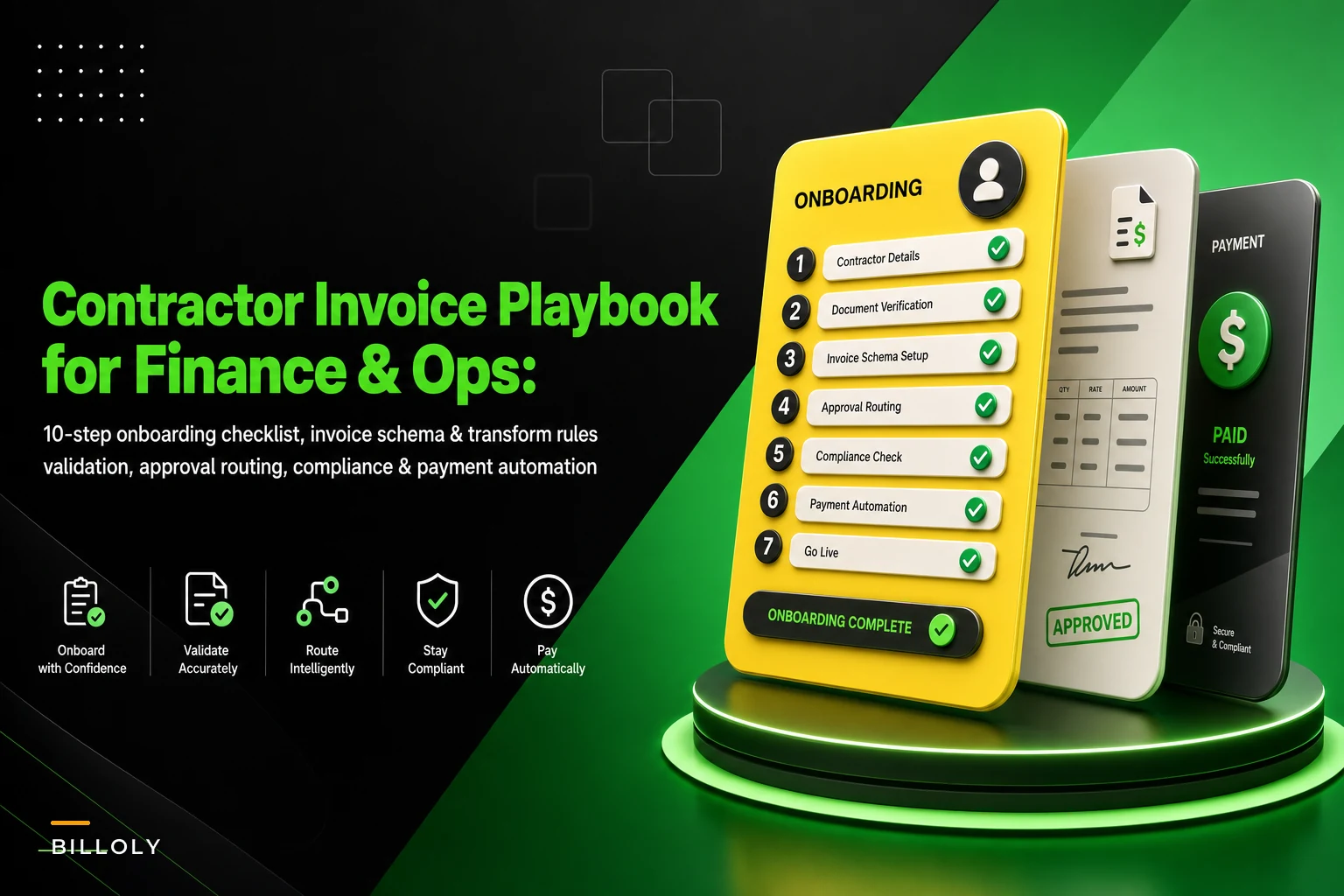
The 10-step contractor invoice software onboarding checklist
The sequence below actually holds up in practice. The order matters — each step depends on the one before it.
Stop chasing payments and start automating your billing.
Billoly empowers you to create, send, and track invoices effortlessly while maintaining professional client relationships.
- Customizable invoice templates
- Automated payment reminders
- Real-time payment tracking
No credit card required
-
Build the contractor onboarding form. Collect everything you'll need before the first invoice, not after.
-
Define your invoice schema. Decide the exact fields every invoice must contain to be payable.
-
Map incoming data to your schema. Connect contractor-submitted fields to your internal fields and your accounting system.
-
Run tax and classification checks. W-9/W-8 collection, TIN matching, and a worker-classification gut-check.
-
Design approval routing. Who approves what, at which dollar thresholds, with a defined backup approver.
-
Configure payment methods and fallbacks. ACH primary, something secondary, and clear rules for which gets used.
-
Set up dispute and short-pay workflows. A defined path for "this invoice is wrong" that doesn't involve email chaos.
-
Write your automation rules. Auto-approve, auto-flag, auto-hold — with human-in-the-loop guardrails.
-
Define KPIs and reporting. What "working" means in numbers, tracked from day one.
-
Run a controlled pilot before full cutover. Five contractors, two cycles, then scale.
Now the parts that need real detail.
Steps 1–2: Onboarding form and invoice schema (the foundation everyone rushes)
Your onboarding form is where you earn or lose the next six months. A thin form means you're chasing missing data on every invoice.
A form that actually prevents downstream pain collects:
-
Legal entity name and DBA (these are different and both matter for payment and tax)
-
Tax ID (EIN or SSN) with a required W-9 or W-8BEN upload
-
Payment details with a confirmation field (re-enter account number)
-
Default currency and payment terms agreed in the contract
-
Remittance email (where payment confirmations go — often different from the invoicing contact)
-
A unique vendor code you assign (don't let contractors self-assign)
The invoice schema is the twin of this. Decide the fields that make an invoice payable versus just received. In practice, the invoices that get stuck are almost always missing one of these:
| Field | Required? | Why it blocks payment if missing |
|---|---|---|
| Invoice number | Yes | Can't dedupe; risk of paying twice |
| PO or project reference | Conditional | Can't match to approved work |
| Line items with rate × quantity | Yes | Can't validate the total |
| Tax breakdown | Conditional | Wrong net payment / compliance gap |
| Contract/vendor code | Yes | Can't route to correct approver |
| Payment terms + due date | Yes | Can't prioritize or forecast |
| Currency | Yes | Silent FX errors on cross-border pays |
The single most common mistake: making the invoice number optional or auto-generating it on your side. When contractors reuse their own invoice numbers across clients, and you don't enforce a unique combination of vendor code + invoice number, duplicate payments become a when, not an if.
Enforce vendor code + invoice number as a unique index at validation to stop duplicates before they start.
The single most common mistake: making the invoice number optional or auto-generating it on your side. When contractors reuse their own invoice numbers across clients, and you don't enforce a unique combination of vendor code + invoice number, duplicate payments become a when, not an if.
Step 3: Data mapping, with a sample field-mapping export
This is the step that gets skipped and then haunts the monthly close. You need an explicit map between what contractors send, what your software stores, and what your accounting system expects.
A simple field-mapping export — the kind you should document in a spreadsheet and keep version-controlled — looks like this:
| Source field (contractor) | Invoice software field | Accounting/GL field | Transform rule |
|---|---|---|---|
| "Company" | vendorlegalname | Vendor.Name | Trim, title-case |
| "Invoice #" | invoice_number | Bill.RefNo | Uppercase, strip spaces |
| "Job" | project_ref | Class/Project | Lookup against active projects |
| "Amount" | line_total | Bill.LineAmount | Parse to decimal, 2 places |
| "VAT/Tax" | tax_amount | TaxLine.Amount | Default 0 if domestic |
| "Pay to" | remitaccountid | — | Match to stored bank record |
The transform rules column is the part people forget. Without it, "Acme Corp," "ACME CORP," and "Acme Corp." become three different vendors in your books and your reconciliation falls apart. If you want the deeper treatment on keeping your books clean through mapping, the material on integrating invoices with bookkeeping covers field-level reconciliation in more depth.
Below is a visual workflow for mapping incoming fields to your invoice system and your accounting ledger.
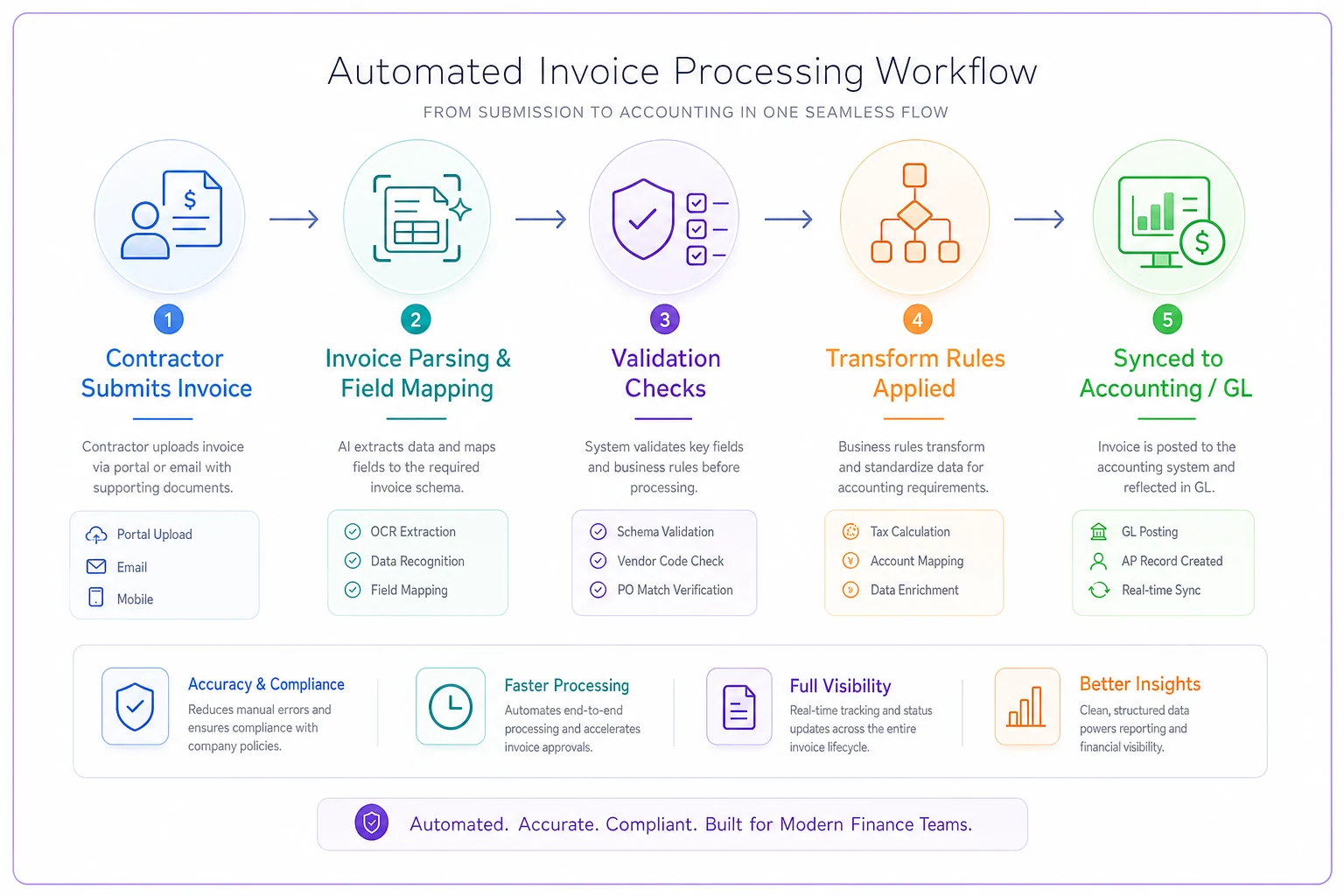
One practical rule: never let a project reference pass validation unless it matches an active project in your system. A contractor billing against a closed or non-existent job is one of the clearest signals of an error or, occasionally, fraud.
Step 4: Tax and classification checks you can't skip
This is where small businesses create real liability without realizing it. Two separate things live here, and people consistently blur them.
Tax data collection is straightforward: no W-9/W-8 on file, no first payment. Enforce it at onboarding, not at payment time. TIN matching against the IRS database catches typos and mismatched names before they become 1099 headaches at year-end.
Worker classification is the one that actually bites. The question isn't "did we call them a contractor?" — it's "would a regulator agree?" A contractor who works exclusively for you, 40 hours a week, using your equipment, on your schedule, for eight months, starts to look a lot like an employee to the IRS and state agencies.
During implementation, build a lightweight classification flag into onboarding: hours, exclusivity, who controls the work, who provides tools. It doesn't make the legal determination for you, but it surfaces the risky relationships so a human can review them. The classification side of this is covered well in material on payments compliance mistakes to avoid — worth reading before you finalize this step, because misclassification penalties dwarf any software cost.
Step 5: Approval routing that doesn't stall
The stall point in almost every manual process is approval. Someone's on vacation, the invoice sits, the contractor calls two weeks later asking where their money is.
Good routing has three ingredients:
-
Dollar thresholds. Invoices under a set amount route to a single approver; above it, they need two. A common setup: solo approval under roughly $1,000, dual approval above.
-
Named owners, not roles. "Finance" isn't an approver. A person is. But every person needs a defined backup.
-
A time-based escalation. If an invoice sits unapproved past a set window — say three business days — it auto-escalates to the backup.
The mistake teams make is routing everything through the owner because they're nervous about losing control. Within a month, the owner is the bottleneck for forty invoices, and the whole point of the software is defeated. Set thresholds so the small, routine invoices flow without a human touching them.
Steps 6–7: Payment methods and dispute workflows
On payment methods, the implementation decision is really about the fallback, not the primary. ACH or bank transfer as primary is obvious. The question is what happens when ACH fails — wrong account number, closed account, a contractor abroad your bank can't reach.
-
Primary
ACH / local bank transfer
-
Fallback 1
a second verified account on file
-
Fallback 2
a documented manual path with explicit sign-off
Without this, a failed payment turns into a scramble, and scrambles are where duplicate payments happen — someone reissues before confirming the first one actually failed.
For disputes and short-pays, build an actual status into the system, not an email thread. An invoice should be able to sit in a "disputed" state with a reason code — wrong amount, duplicate, work not approved, missing PO — and a clear next action. When a dispute lives in someone's inbox, it's invisible to the rest of the team and ages silently to the point of missed recoveries.
Step 8: Automation rules with human-in-the-loop guardrails
This is where the system starts actually saving time instead of just storing data. Modern invoice management platforms let you set rules that handle the routine and flag the exceptions. The point isn't to remove people — it's to stop people from touching invoices that don't need a human.
-
Auto-approve invoices that match an approved PO within a small tolerance (say 2–3%), are from an onboarded contractor, and fall under the solo-approval threshold.
-
Auto-flag any invoice where the amount exceeds the PO, the vendor code is new, or the invoice number has been seen before.
-
Auto-hold payment when tax documents are missing or expired, or when a classification flag is unresolved.
The guardrail that matters most: never auto-approve a first invoice from a new contractor, and never auto-approve anything above your dual-approval threshold. Automation should accelerate trust you've already established, not create it. That boundary is what separates a system that scales cleanly from one that quietly leaks money over time.
Step 9: KPIs to track from day one
If you don't baseline these in the first two weeks, you'll never prove the implementation worked. The ones that matter:
-
Invoice cycle time — submission to payment, in days. This is your headline number.
-
First-pass approval rate — % of invoices approved with no manual correction. Low here means your onboarding or schema is too loose.
-
Exception rate — % of invoices that get flagged or held. Trending down over time means the system is working.
-
Duplicate-payment incidents — should be zero; anything above that is an urgent schema fix.
-
On-time payment % — paid by the agreed due date. This is what contractors actually feel.
-
Days to first payment for new contractors — onboarding friction, made visible.
For how these metrics fit into a broader AR operation as you grow, the accounts receivable maturity roadmap maps which metrics matter at which team size.
Step 10: A real scenario — the pilot that saved the cutover
A small design-build firm with around 18 subcontractors was running contractor invoices through email and a shared spreadsheet. Payment cycle time was all over the place — some contractors paid in 5 days, others in 20, depending on who caught the email. They'd double-paid a framer once for roughly $2,800 because two people processed the same invoice from different inboxes.
Instead of migrating everyone at once, they piloted with five contractors across two billing cycles. In the first cycle alone, two problems surfaced that would have multiplied across the full rollout: two contractors were reusing invoice numbers across jobs, and one was missing an updated W-9. Both got fixed in the schema and onboarding form before the other thirteen contractors were migrated.
After full cutover, cycle time settled to a consistent 6–8 days, first-pass approval climbed north of 80%, and the duplicate-payment problem stopped because vendor code plus invoice number was now enforced as a unique combination. The owner's takeaway was basically that the pilot's value wasn't proving the software worked — it was finding the broken data before it touched every vendor.
Integration and compliance pitfalls to avoid
A few traps that come up repeatedly during these rollouts:
-
Syncing before mapping. Connecting your invoice tool to accounting before the field map is finalized duplicates vendors and corrupts your chart of accounts. Map first, sync second.
-
Treating tax docs as a one-time task. W-8 forms expire. Build an expiry check, or you'll discover the gap mid-payment-run to an international contractor.
-
Ignoring currency defaults. A domestic field left blank on a cross-border invoice silently defaults to your home currency and creates FX reconciliation pain later.
-
Auto-approving on amount alone. Matching an invoice to a PO on total but not line items lets a contractor pad hours while hitting the same number.
-
No off-boarding step. When a contractor relationship ends, their record stays active and payable. Define a deactivation step as part of the lifecycle, not an afterthought.
These aren't edge cases. They're the kind of thing that compounds quietly across a full contractor roster until someone runs a reconciliation and starts asking uncomfortable questions.
When a full implementation makes sense — and when it doesn't
If you're paying fewer than a handful of contractors and the relationships are long and stable, dedicated contractor invoice software may be more process than you need right now. A tight spreadsheet and a disciplined approval habit might genuinely be enough.
The point where it starts paying off is usually somewhere around 10–15 active contractors, or when you're dealing with multiple projects, varying payment terms, or any cross-border payments. That's where manual tracking stops scaling and the duplicate-payment and classification risks start compounding quietly in the background.
Who should not rush this: a team mid-tax-season, or one without a single named person who owns the rollout. This isn't a background install. It needs someone to make the schema and routing decisions, and those decisions are what make or break the first payment runs.
Get the onboarding form and the invoice schema right, pilot before you scale, and enforce validation upstream. The software handles the repetition after that — but only if you've defined what "correct" looks like before the first invoice ever lands.
Ready to streamline your billing process?
Join 5,000+ businesses using Billoly to reduce billing delays, automate payments, and grow revenue efficiently.