
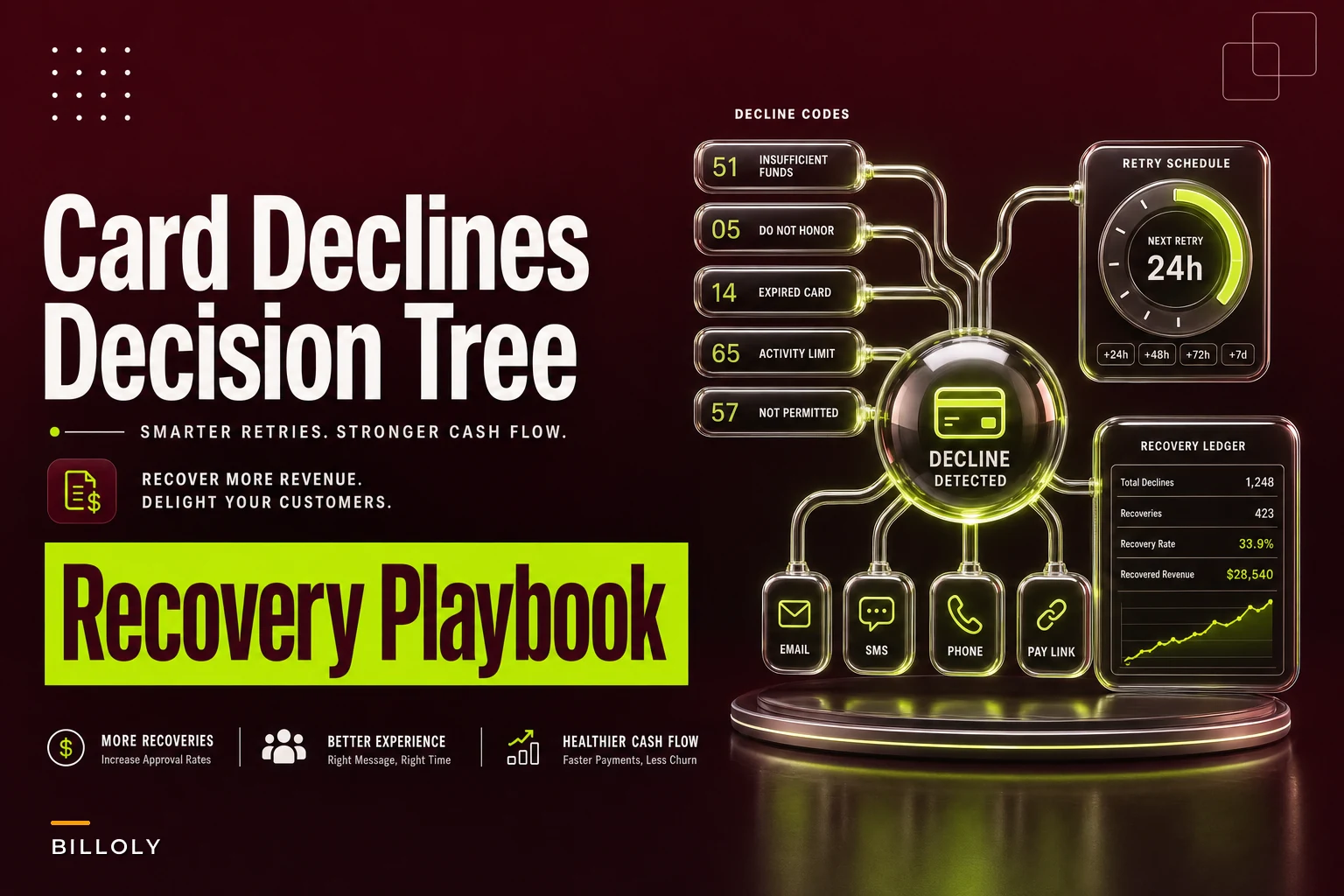

A declined card isn't one problem. It's maybe eight different problems wearing the same red error message, and how you respond to each one determines whether you get paid this week or lose the customer entirely. The mistake most small businesses make is treating every decline the same — same email, same retry, same awkward silence — when a "Do Not Honor" needs a completely different response than an "Insufficient Funds."
This is a decision tree for card decline recovery built around what the decline code actually tells you. Not generic "reach out to your customer" advice. Specifics: which code means retry tonight, which one means never retry, which means call instead of email, and what fallback to offer when the card simply isn't going to work.
What nobody tells you about decline codes
Most processors collapse dozens of real issuer reasons into a handful of vague messages. You rarely see the raw response. What you get is a category, and your job is to map that category to an action.
-
Soft declines — temporary, the card could work in a few hours or days (insufficient funds, velocity limits, temporary holds)
-
Hard declines — the card is dead, stolen, expired, or closed; retrying does nothing but rack up fees and risk
-
Issuer-logic declines — the bank's fraud system flagged something; the card is fine but the transaction looked wrong to them
The costly mistake: businesses retry hard declines on a schedule. A card reported lost will decline forever. You can hit it twelve times over two weeks and all you've done is pay for twelve failed authorization attempts and train the issuer's system to distrust your merchant account. Worse, repeated failures can trip your processor's own risk thresholds and put your account under review.
So before any retry logic, before any script, sort the code into one of those three buckets. Everything downstream depends on getting that first step right.
The decision tree, by code
Below is the core map. Codes vary slightly by processor — Stripe, Square, and your gateway may label them differently — but the underlying issuer reasons are consistent.
Stop chasing payments and start automating your billing.
Billoly empowers you to create, send, and track invoices effortlessly while maintaining professional client relationships.
- Customizable invoice templates
- Automated payment reminders
- Real-time payment tracking
No credit card required
| Decline reason | Bucket | Retry? | Best channel | Fallback to offer |
|---|---|---|---|---|
| Insufficient funds | Soft | Yes — timed | Email/SMS, soft tone | Split payment or pay-link later |
| Do Not Honor | Issuer-logic | Once, then stop | Phone or SMS | Different card or bank transfer |
| Expired card | Hard | No | Email, matter-of-fact | Update card via pay-link |
| Incorrect card number / CVC | Hard (data) | No | Inline at checkout / SMS | Re-enter via pay-link |
| Lost/Stolen card | Hard | Never | Phone, careful | New payment method only |
| Pickup card | Hard | Never | Phone | Bank transfer / new card |
| Fraudulent / Suspected fraud | Issuer-logic | No | Phone, cautious | Bank transfer, verify identity |
| Card velocity exceeded | Soft | Yes — next day | SMS | Split into two charges |
| Transaction not permitted | Issuer-logic | Once | Different card type | |
| Currency/processor not supported | Hard (config) | No | Bank transfer or alt processor |
A few of these deserve more than a table.
"Do Not Honor" is the frustrating one. It's the issuer's polite way of saying "no, and we won't tell you why." The card is often perfectly good and the customer frequently has no idea anything happened. This is almost always worth one retry — but pair it with a nudge asking them to call their bank or try a different card. Retrying it five times is pointless; the answer won't change on its own.
"Insufficient funds" is the most recoverable code you'll see. The customer wants to pay, the card works, there's just no money in the account right now. This is where retry timing earns its keep, and we'll come back to it.
Anything labeled fraud or lost/stolen — stop immediately. Don't retry, don't automate a reminder, and be careful with the message you send. A blunt "your payment failed" email to someone whose card was actually stolen is confusing and occasionally alarming. Handle these by phone or with a low-key message, and offer a fresh payment method instead of chasing the dead card.
Retry timing: the part that actually moves recovery rates
For soft declines, when you retry matters more than how many times. The pattern that works lines up with how people get paid and when accounts get topped up.
A concrete retry schedule for insufficient-funds and velocity declines:
-
First retry
24–72 hours later.
Not the same day. Same-day retries on an empty account just fail again. Waiting a couple of days catches the next deposit cycle for a lot of people. -
Second retry
on a payday-adjacent day.
The 1st and the 15th, plus the Friday closest to each, catch the biggest share of balance top-ups. If your first retry landed on a Tuesday the 9th, schedule the next for Friday the 12th or the 15th. -
Third and final retry
5–7 days after the second.
If it still hasn't worked, the card isn't the path. Switch to a fallback offer instead of hammering it a fourth time.
Cap it at three. Across a lot of recurring-billing setups, retry attempts beyond the third recover almost nothing and start generating real cost and risk. Around 60–70% of recoverable soft declines tend to clear by the second well-timed retry. The fourth, fifth, sixth attempts you see in poorly-configured systems contribute a rounding error in recoveries and a real pile in fees.
One timing detail people miss — don't retry at 3 a.m. just because that's when your batch job runs.
Retry during business hours in the customer's timezone when you're also sending the nudge, so a successful charge and a helpful message arrive together instead of the charge quietly going through at night with no context.
Channel-specific scripts
The channel changes the tone as much as the words. Email gives room to explain. SMS has to be short and non-alarming. Phone is for the sensitive or high-value cases.
Email — insufficient funds / soft decline:
> Subject: Quick heads up — your payment didn't go through > > Hi [Name], your card on file didn't process your [plan/invoice] payment this time. No action needed if it was a timing thing — we'll automatically try again on [date]. If you'd rather use a different card or pay by bank transfer, here's a secure link: [pay-link]. Thanks!
Notice what's missing: no urgency, no threat, no "failure." For a soft decline, the customer usually did nothing wrong, and treating it like a crisis damages the relationship over something that'll likely self-resolve.
SMS — Do Not Honor / velocity:
> Hi [Name], your card declined on our end but it looks like a bank-side thing, not you. Mind trying this link or a different card? [pay-link] — thanks!
Phone — fraud / lost-stolen / high-value:
For these, you're not reading a script, you're having a short conversation. Lead with "I wanted to reach you directly rather than email about this." Explain the charge didn't go through, confirm you're not asking for card numbers over the phone, and point them to a secure link or offer a bank transfer. The goal is to sound like a human protecting them, not a vendor chasing money.
Expired card — email, matter-of-fact:
> Hi [Name], the card we have on file expired. Update it here in about 30 seconds and you're all set: [pay-link].
Expired-card messages should feel routine, because they are. No apology, no drama. Make the update link the single obvious action.
Fallback flows that keep accounting clean
When the card is clearly not the path — hard decline, or a soft decline that's exhausted its retries — you move to a fallback. The three affordable ones, in order of friction:
-
Pay-link — a hosted checkout link where they can enter a new card or use another payment method. Lowest friction, almost always the first fallback you offer.
-
Bank transfer / ACH — cheaper than cards and good for larger amounts, but slower to clear and needs manual-ish reconciliation unless your system matches it automatically.
-
Split payment — break the amount into two or three smaller charges. Useful when the decline was an insufficient-funds or velocity issue rather than a dead card.
Here's the part that bites people later: every fallback has to land in your books as the same receivable. If the original invoice was card and the customer pays half by transfer and half by a new card next week, you need those to reconcile against one invoice — not spawn three orphaned payments your bookkeeper untangles at month-end.
The reconciliation rules that keep this sane:
-
Keep the original invoice or charge ID as the anchor; attach every recovery attempt and fallback payment to it
-
Tag the payment method on each attempt so your records show why the card was abandoned
-
When you split a payment, record the splits against the single invoice total, not as separate invoices
-
Never mark an invoice "paid" until the fallback actually clears — ACH especially can look received and then reverse
Split payments and partial fallbacks create real reconciliation work, and the cleanest setups handle this inside a platform that attaches attempts and recovery payments to the original invoice automatically rather than making you stitch it together in a spreadsheet. If you're thinking through how much of this to automate versus keep human-reviewed, our billing automation governance framework walks through where to draw that line.
The full workflow, start to finish
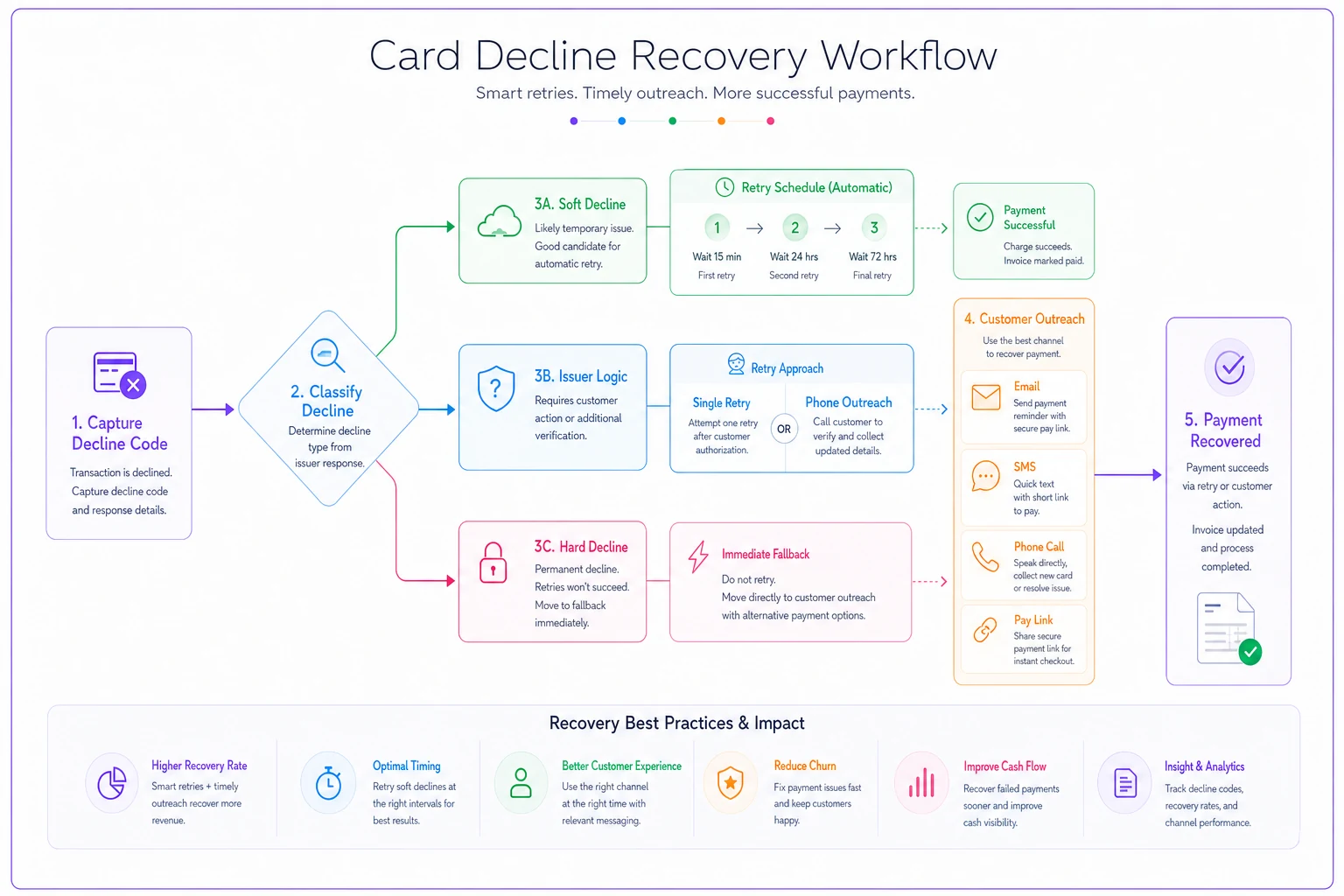
Putting the pieces together, here's how a single decline moves through the system:
-
Charge declines. Capture the raw reason code, not just "failed."
-
Sort the bucket — soft, hard, or issuer-logic — using the map above.
-
If hard decline skip retries entirely. Go straight to the right channel with the right script and a pay-link to add a new method.
-
If soft decline schedule retry #1 for 24–72 hours out, send the low-key nudge, and queue the payday-adjacent retry #2.
-
If issuer-logic (Do Not Honor, suspected fraud) one retry at most, and move the sensitive ones to phone.
-
After the final retry fails trigger the fallback offer — pay-link first, then bank transfer or split depending on the original decline reason.
-
Log everything against the original invoice so the fallback payment reconciles cleanly.
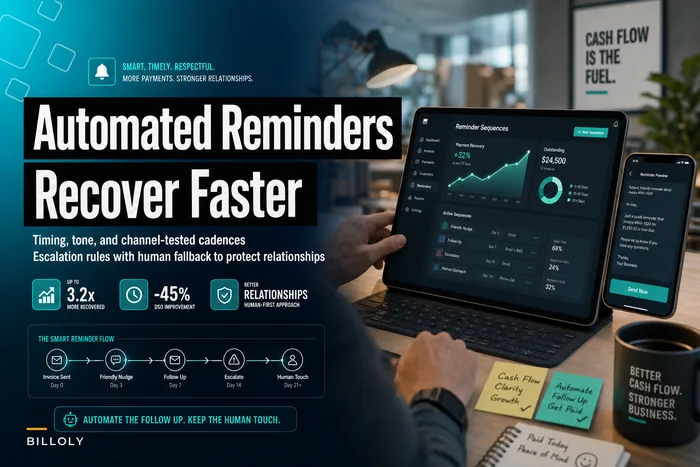
The nudges that go out alongside those retries are their own small craft — tone and timing change recovery rates more than most people expect. If you want to go deeper on sequencing those messages, the piece on automated reminder sequences that increase recovery covers the cadence and escalation side in detail.
Here's a visual of that workflow.
If you want to go deeper on sequencing those messages, the piece on automated reminder sequences that increase recovery covers the cadence and escalation side in detail.
When to stop chasing the card and just talk to them
There's a threshold where automation should hand off to a human. A rough rule: if the amount is large relative to your typical ticket, or the customer is long-standing, or the code is anything fraud-adjacent — pick up the phone before the second automated message goes out.
The flip side matters too. Don't put a human on every $19 subscription decline. That's where timed retries and a single polite nudge do the whole job, and manual follow-up costs more in time than the invoice is worth. The decision tree exists so you spend human attention only where it actually changes the outcome.
A real scenario
A regional cleaning service running recurring monthly billing on roughly 400 clients was seeing around 30–35 declines a month. Their old setup treated all of them the same: retry the card nightly for five straight nights, then send one generic "payment failed, update your info" email. Recovery sat around 40%, and the nightly hammering occasionally got individual clients flagged by their own banks — which made the next month's charge decline too.
They reworked it around the code buckets. Hard declines stopped getting retried at all and went straight to a pay-link email. Insufficient-funds declines got the 24–72 hour-then-payday schedule, capped at three attempts. Do-Not-Honor got one retry plus an SMS. Fraud-flagged ones got a phone call.
Within a couple of billing cycles, recovery climbed into the mid-70s, authorization fees from pointless retries dropped off noticeably, and the cascading decline problem — where a flagged card failed again the following month — mostly went away. Nothing complicated happened. They just stopped treating a dead card and a temporarily-empty account like the same event.
The one habit that fixes most of this
Capture and act on the actual decline code. Almost every bad outcome in card decline recovery traces back to the business flattening eight different reasons into one "payment failed" workflow — retrying cards that'll never work, sending urgent emails for non-events, calling nobody when a call was the only thing that'd help.
Read the code. Sort it into soft, hard, or issuer-logic. Match the channel and retry schedule to that bucket. Offer a clean fallback when the card's done, and make sure every attempt reconciles back to one invoice. Do that consistently and you recover more money with fewer messages — and the customer barely notices anything went wrong, which is exactly the point.
Read the code. Sort it into soft, hard, or issuer-logic. Match the channel and retry schedule to that bucket. Offer a clean fallback when the card's done, and make sure every attempt reconciles back to one invoice. Do that consistently and you recover more money with fewer messages — and the customer barely notices anything went wrong, which is exactly the point.
Ready to streamline your billing process?
Join 5,000+ businesses using Billoly to reduce billing delays, automate payments, and grow revenue efficiently.